A pop-up display is a strong choice when you need a substantial trade-show backdrop that can be transported, expanded on site, and used again. The practical buying decision is not simply “Which graphic looks best?” It is whether the complete system fits your booth, vehicle, setup routine, deadline, and future event schedule.
For most buyers, the best value is a fabric graphic with a reusable collapsible frame, a proofing step, and the option to order replacement graphics later. Choose the display width only after confirming your booth dimensions, and compare the delivered cost rather than the tempting starting price. A magnificent ten-foot display that does not fit the assigned space is merely an expensive hallway obstacle.
Decide whether a pop-up display is the right format
Pop-up display printing generally combines a wide fabric graphic with an expandable frame. It is designed to create a booth-scale visual wall rather than the narrow vertical message supplied by a retractable banner or X-banner.
PrintPlace, one example of this product category, distinguishes standard and curved pop-up displays from straight tension displays, retractable banners, backdrops, and X-banner stands. Its X-banner is listed at 70 by 24 inches, while its standard pop-up graphics are offered in much wider 8-foot and 10-foot formats. These products may appear in the same trade-show menu, but they solve different space and presentation problems. PrintPlace’s sign-printing range illustrates those format distinctions.
| Display format | Best suited to | Main buying consideration |
|---|---|---|
| Pop-up display | A booth-scale branded backdrop | Width, reusable frame, transport and replacement graphics |
| Retractable banner | A narrow message, entrance or supporting panel | Small footprint and fast individual setup |
| X-banner | A lightweight supporting sign | Limited graphic width and stand stability |
| Tension or fabric backdrop | A broad visual wall with a different support system | Assembly method, graphic tension and available floor space |
Choose a pop-up when the display must establish the booth’s main visual identity. Choose a narrower banner when you need directional information, a promotion beside a counter, or a display that one person can move frequently. For a broader review of structures and booth constraints, see our guide to choosing a trade-show backdrop setup.
Measure the booth before choosing a width
Start with the usable space, not the product name. Record the booth width and depth, then account for tables, shelving, demonstration equipment, chairs, electrical access, and any required clear paths. Confirm the organizer’s display rules as well; a nominal booth size does not necessarily mean every inch is available for hardware.
The retrieved PrintPlace configuration lists finished graphics of 89 by 89 inches and 118 by 89 inches, identified as its 8-foot and 10-foot frame options. The larger option provides more visual area, but width is useful only when the venue and your transport plan can accommodate it. Ask the printer for the assembled dimensions, packed dimensions, and weight before ordering because the graphic dimensions alone do not answer those questions.
Also decide where people will view the display. From across an aisle, one large headline and a clear image usually work harder than a detailed list of services. Fine print can live on handouts or a nearby screen. Your backdrop should attract and orient visitors, not attempt to negotiate the entire sale from eight feet away.
Compare the complete display system
A product page may let you buy a frame-and-graphic package or a replacement graphic by itself. PrintPlace describes its version as a collapsible metal frame with a fabric graphic and offers both Graphic + Frame and Graphic Only configurations. The graphic attaches using Velcro, while magnetic safety connectors are used on the frame. Side wraps, sometimes called end caps, carry the printed fabric around the sides for a more finished appearance.
That distinction matters for long-term cost. A first-time buyer needs compatible hardware and a graphic. A business that already owns the correct frame may need only new fabric for a campaign, product launch, or refreshed branding. Confirm the exact frame model before ordering a replacement; similar advertised widths do not guarantee matching attachment points or dimensions.
For broader education about custom print products and production choices, Printiverse custom printing and print-production topics can provide useful background. For this purchase, however, prioritize the specifications of the exact display system in your cart.
Treat fabric and finishing as practical features
The retrieved PrintPlace configuration specifies 8.8-ounce polyester fabric, full-color printing on the front, a blank back, and printed side wraps. It also says the stretch-fabric graphic is machine washable. Those details are more informative than a loose promise of “premium quality,” but they still leave questions worth asking.
- Will lighting behind the booth make the blank reverse side or frame visible through the fabric?
- How should the fabric be washed and dried, and can it be steamed to remove packing creases?
- Does the graphic remain attached to the frame during transport, or should it be packed separately?
- Are replacement graphics guaranteed to fit this exact frame revision?
- What damage is covered if connectors, hooks, or transport bags arrive broken?
PrintPlace lists an optional pair of LED lights for its pop-up display. Lighting can improve visibility in a dim hall, but it adds cost, packing pieces, power requirements, and another item to remember at teardown. Check whether your booth includes an outlet and whether the venue charges separately for electrical service before adding lights.
Build a budget around delivered and reusable cost
When the research was retrieved, PrintPlace’s sign-printing page showed a starting price of $861.50 for a pop-up display. The final total can change with width, a graphic-only versus frame-and-graphic order, lighting, turnaround, quantity, promotions, and shipping. Treat that figure as an old starting reference to recheck, not a standing quote.
Price the exact configuration you need and record each component: frame, printed graphic, lights, proofing, production upgrade, shipping, and taxes. If the display will serve several events, also obtain the current replacement-graphic price. A sturdier reusable system can offer better value than a cheaper one-off purchase, but only if it remains easy to transport and compatible graphics stay available.
Replacement graphics are especially useful when the company logo and layout remain stable but the featured message changes. Design the original with that future use in mind. Keep evergreen branding on the backdrop and move dates, temporary offers, QR codes, and rapidly changing details to smaller signs that cost less to replace.
Prepare artwork for viewing distance and full-size output
Use the printer’s template for the exact display and size. PrintPlace directs customers to product templates, while the University of Texas at Austin’s wide-format artwork specifications provide useful general preparation guidance. UT Austin recommends preparing artwork at actual output size, using vector elements where possible, converting text to outlines, and supplying CMYK or grayscale imagery. For wide-format work over six feet, it recommends images of at least 150 dpi; its recommendation for smaller image work is 300 dpi.
Those are general production guidelines rather than confirmed PrintPlace requirements, so the selected printer’s template and upload instructions take priority. UT Austin also advises keeping non-bleeding text and graphics at least 3/16 inch from an edge and extending artwork at least 1/8 inch beyond trim when bleed is required. A pop-up template may include additional zones for side wraps, folds, attachment strips, or areas obscured by hardware.
Keep logos, faces, QR codes, and essential text away from seams and edges. Inspect photos at their effective output resolution rather than assuming a large pixel count is enough. Web images are often low-resolution RGB files and may reproduce poorly in print, a problem that becomes difficult to ignore when the output is roughly the size of a wall.
Use the proof to catch expensive mistakes
PrintPlace says customers can request a free PDF proof after uploading a trade-show display file and that production begins after online approval. A PDF proof cannot show the fabric’s physical feel or guarantee how every color will appear under exhibition lighting, but it is valuable for checking content, positioning, orientation, side wraps, and obvious image problems.
Review the proof on a large screen and ask another person to check it. Confirm spelling, phone numbers, URLs, dates, QR-code destinations, logo versions, and the relationship between the front panel and wrapped sides. Make sure all intended elements appear and no temporary design notes remain. Proof approval is a poor moment for autopilot.
Separate production time from shipping time
The retrieved PrintPlace configurator offered 2-, 3-, and 5-business-day production choices. PrintPlace identified two business days as its fastest production time and stated that carrier transit was additional. Its shipping estimate requires a ZIP code and desired arrival date. These options and deadlines should be verified in the live cart before ordering.
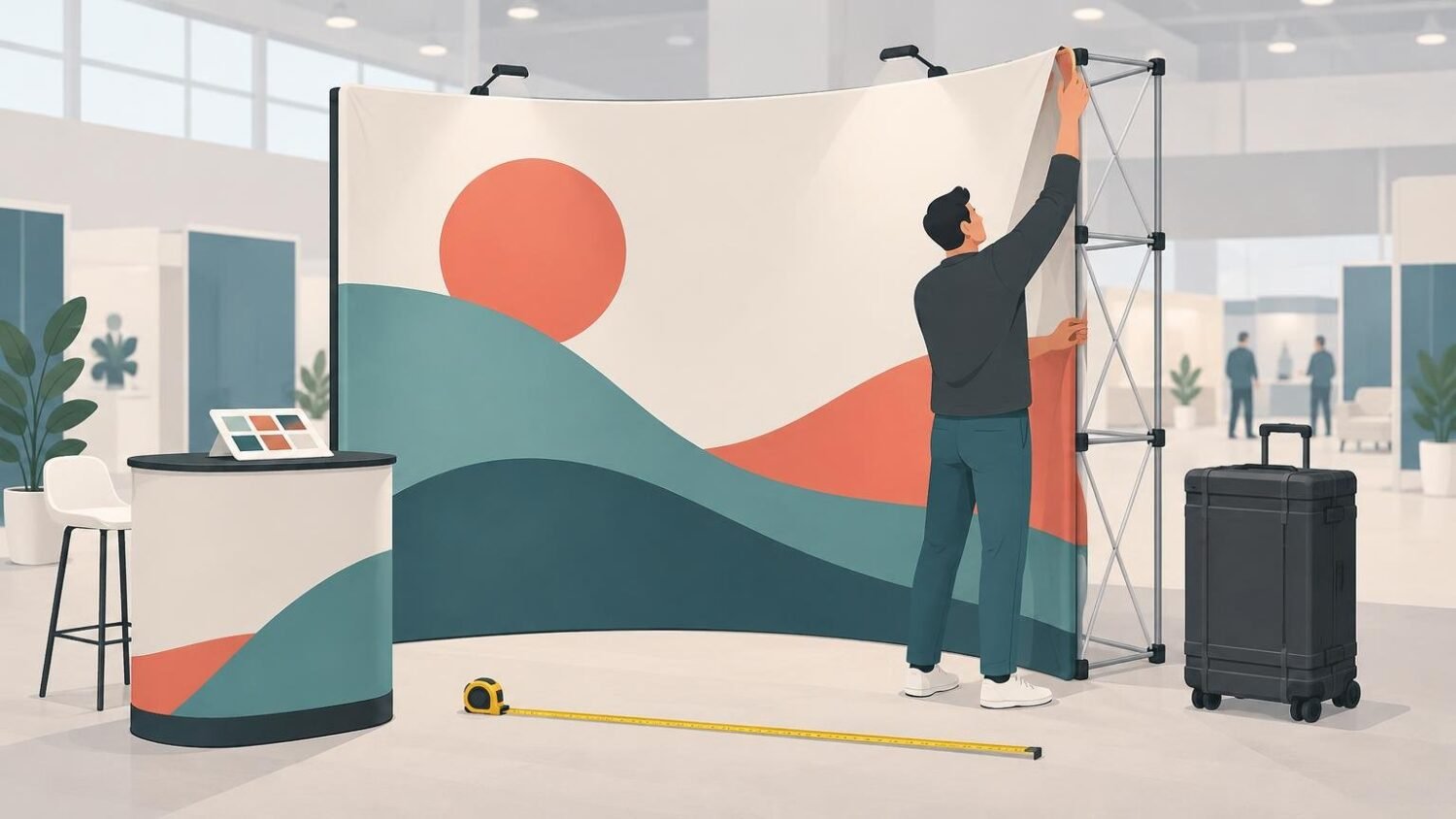
Plan backward from the event, allowing time for proof review, production, separate packages, carrier transit, inspection, and a practice setup. PrintPlace says its frame and banner ship separately, so one tracking notification does not necessarily mean the complete display has arrived. It describes setup as expanding the frame on a flat surface, attaching the corner connectors, raising the structure, and allowing the magnetic connectors to engage. A trolley bag is included for transport and storage.
Assemble the display soon after delivery. Check the fabric, frame, connectors, attachment points, lights, power components, and bag while there is still time to address a problem. Record the packed dimensions and weight for future travel planning, and label separate cases so a rushed event crew knows they belong together.
Check the intended environment and warranty
The retrieved product information does not provide a technical outdoor-durability rating, a weather-performance standard, or an independently verified longevity result for this pop-up display. Without those details, treat it as an indoor trade-show system unless the seller confirms otherwise in writing for your intended conditions.
Before buying, ask about fire-safety documentation if the venue requires it, permitted cleaning methods, replacement-part availability, reprint or damage policies, and coverage for hardware failure. These questions are less glamorous than choosing a gradient, but they are far more interesting when a connector fails the morning of an event.
The practical buying rule
Choose pop-up display printing when you need a reusable, booth-width backdrop and can manage the packed hardware. Select the width from measured booth space, buy the complete frame package only when needed, and confirm that replacement graphics are available for the exact system. Then price the delivered configuration, use the correct template, request a proof, and leave enough time to inspect and practice assembling everything.
A narrower retractable or X-banner is the better purchase when portability and a small footprint matter more than creating a visual wall. For a true booth backdrop, the best pop-up system is the one that fits the space, communicates clearly from the aisle, survives the trip, and can return for the next event without requiring another complete hardware purchase.
Frequently Asked Questions
What size pop-up display should I buy?
Choose from the usable booth space after accounting for tables, equipment, chairs, electrical access, and clear paths. PrintPlace’s retrieved configuration listed 89 × 89-inch and 118 × 89-inch graphics for its 8-foot and 10-foot frame options.
Is a pop-up display better than a retractable banner?
A pop-up display is better for creating the booth’s main visual wall. A retractable banner is the more practical choice for a narrow message, smaller footprint, or sign that needs to move frequently.
Can I replace the graphic without buying another frame?
PrintPlace offers both Graphic + Frame and Graphic Only configurations. Confirm the exact frame model and attachment system before ordering because similar advertised widths do not guarantee compatibility.
What artwork resolution should I use for a pop-up display?
Follow the printer’s template first. As general guidance, UT Austin recommends at least 150 dpi for images in wide-format work over six feet, along with vector elements where possible, outlined text, and CMYK or grayscale imagery.
Should I request a proof before printing?
Yes. PrintPlace says customers can request a free PDF proof and that production starts after online approval. Use it to check spelling, positioning, side wraps, orientation, image quality, dates, URLs, and QR-code destinations.
Does production time include shipping?
No. The retrieved PrintPlace configurator listed 2-, 3-, and 5-business-day production choices, with carrier transit added afterward. Verify current options and the complete arrival estimate in the live cart.
Can a fabric pop-up display be used outdoors?
Treat this example as an indoor trade-show system unless the seller confirms suitability for your conditions in writing. The retrieved product information supplied no technical outdoor-durability rating or weather-performance standard.
Are LED lights worth adding to a pop-up display?
They can improve visibility in a dim venue, but they also add cost, packing pieces, and power requirements. PrintPlace lists an optional pair of LED lights, so check outlet availability and venue electrical charges before adding them.